


Management File Legal Size-1Pcs.
Highlights:
Highlighting through presentation
- Use a display book: For a highly visible and organized way to “highlight” multiple documents, place them in the clear pockets of a display book.
- Use a report cover: For a more streamlined presentation, use a report cover with a transparent front that clearly displays the title page or first page of the report, which is a form of highlighting the main document.
- Use file folders: For basic organization, simply file the documents. You can then highlight a specific document by using a colored tab or sticky note on the tab for easy identification.
Management File Legal Size-6Pcs.
Highlights:
Highlighting through presentation
- Use a display book: For a highly visible and organized way to “highlight” multiple documents, place them in the clear pockets of a display book.
- Use a report cover: For a more streamlined presentation, use a report cover with a transparent front that clearly displays the title page or first page of the report, which is a form of highlighting the main document.
- Use file folders: For basic organization, simply file the documents. You can then highlight a specific document by using a colored tab or sticky note on the tab for easy identification.
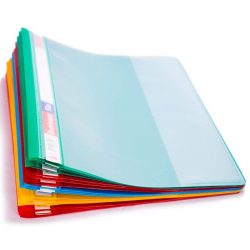
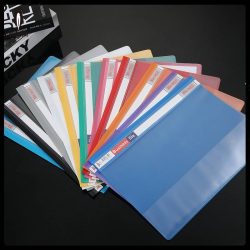
Management File-1Pcs.
Highlights:
Common applications
- Local file managers: The most basic form of file management, built into operating systems to help users organize files stored on a computer or network. Examples include Windows File Explorer and macOS Finder.
- Cloud-based systems: Store and organize files on a remote server, accessible from anywhere with an internet connection. They are ideal for remote teams and automatically sync files across devices. Examples include Google Drive, Dropbox, and OneDrive.
- Digital Asset Management (DAM): Specialized systems designed for rich media like images, videos, and creative files, offering enhanced features for tagging and visual organization.
Management File-6Pcs.
Highlights:
Common applications
- Local file managers: The most basic form of file management, built into operating systems to help users organize files stored on a computer or network. Examples include Windows File Explorer and macOS Finder.
- Cloud-based systems: Store and organize files on a remote server, accessible from anywhere with an internet connection. They are ideal for remote teams and automatically sync files across devices. Examples include Google Drive, Dropbox, and OneDrive.
- Digital Asset Management (DAM): Specialized systems designed for rich media like images, videos, and creative files, offering enhanced features for tagging and visual organization.